01
Recurring password requests
Forgotten or expired passwords consume user and Help Desk time, especially before Windows sign-in.
Access360 reduces Active Directory operational workload, gives users a secure password recovery path, and controls temporary administrative access with complete visibility.
Access360 turns three recurring and sensitive processes into centralized, controlled, auditable workflows.
Forgotten or expired passwords consume user and Help Desk time, especially before Windows sign-in.
Long-lived access without target or time boundaries makes oversight and accountability more difficult.
Repetitive AD tasks raise error risk and make centralized reporting harder.
The platform brings its primary controls together to reduce manual work and persistent privilege.
Controlled password recovery before Windows sign-in, aligned with Active Directory policy.
Grant local administrator privilege only to the right user, target, and time window, then expire it automatically.
Preserve the context needed to review sensitive administrative activity under centrally managed policy.
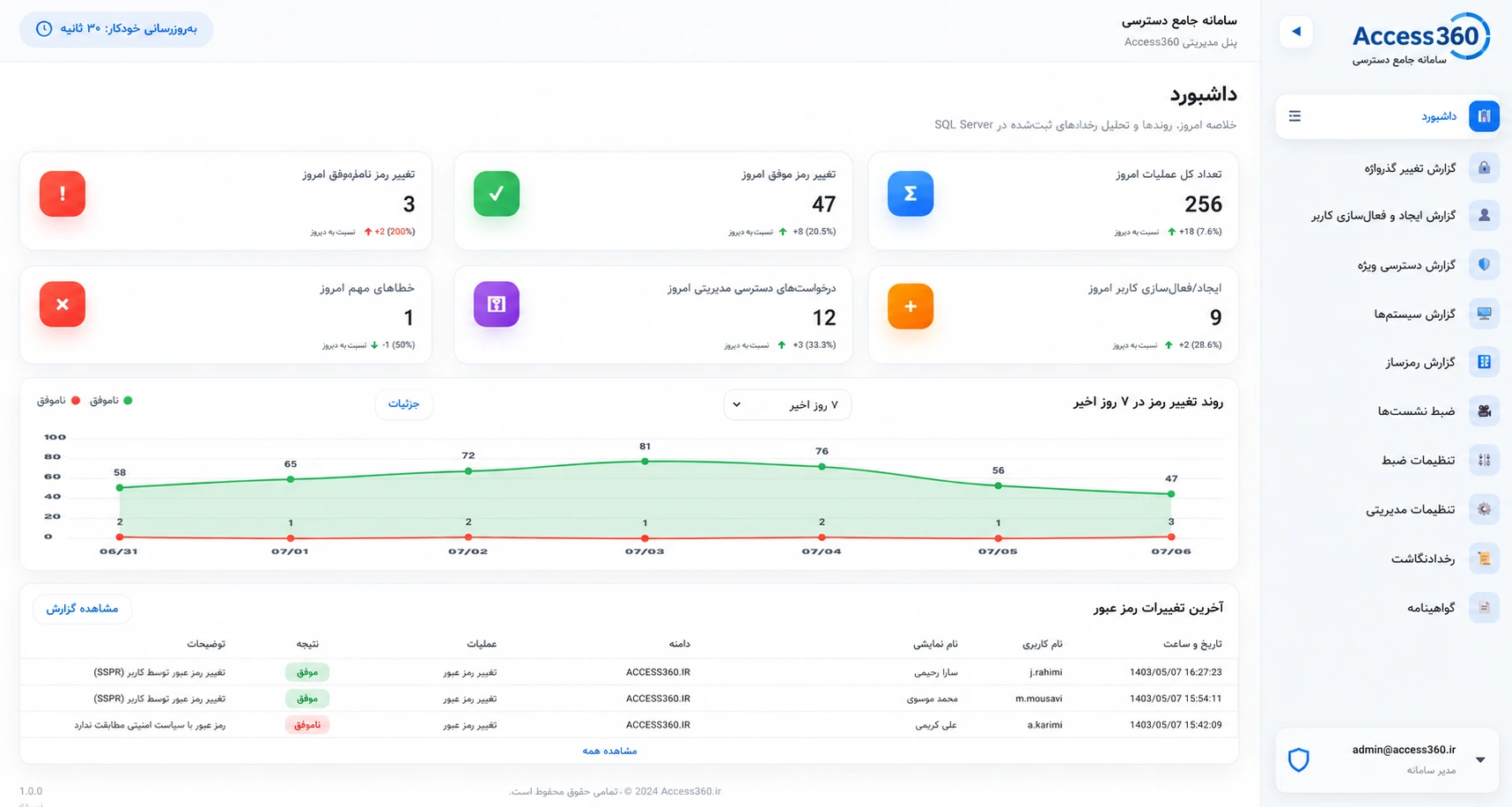
These real interface views can be enlarged to inspect the product experience.
The user verifies identity in a clear workflow and sets a password that follows organizational policy.
Requests are evaluated against organizational rules before targeted, time-bound privilege is issued.
Authorized teams can review sessions with status, context, and relevant metadata.
Searchable, filterable events help authorized teams investigate operations and prepare for audit.
Access360 connects users and clients to organizational policy, Active Directory, and internal services without exposing confidential infrastructure details.
Management and reporting capabilities extend the three core solution areas across the organization.
Domain-aware authorization and policy.
Identity controls in the existing environment.
Controlled automation after data validation.
Central insight into activity and outcomes.
Changes, failures, and operational trends.
User, group, domain, target, and time rules.
Resolve password issues through secure, auditable self-service.
Issue administrative rights only for the required time and target.
Review privileged Help Desk work on sensitive systems.
Connect user creation to HR and organizational validation.
Apply policy and reporting across complex AD environments.
Report assets, status, and applicable legacy or special scenarios.
Our customer
بانک پاسارگاد
A live session can cover password recovery, JIT access, session recording, and management reporting around your organizational scenario.
Request a Live DemoDeployment details are confirmed after reviewing each organization's architecture and policy.
An identity and access operations platform for Microsoft Active Directory environments, covering password recovery, temporary privilege, and sensitive activity visibility.
Yes. AD integration, domains, and password policy are central to the product design.
Yes. It is designed for multi-domain management, with the precise scope confirmed during technical assessment.
Requests are evaluated against user, group, target, domain, and time policies, then expire automatically.
Sensitive sessions can be recorded with metadata. The current architecture considers encrypted local storage and centrally managed policy.
It is designed for internal deployment and restricted networks; exact requirements depend on the environment.
No. JIT replaces standing privilege with limited, targeted, time-bound access.
Verification can use SMS or TOTP according to organizational policy.
Its modular architecture supports controlled integration for user creation after data validation.
Demonstrations are coordinated through the official Access360 sales channel and planned around the relevant organizational scenarios.
Use the form to arrange a product demonstration or discuss identity, Active Directory, and temporary-access scenarios. The Access360 team will reply through an official channel.
Emailinfo@access360.irAddressMirdamad Boulevard, Tehran